
Exception Reporting

Resident doctors (2016 Terms and Conditions of Service)
Exception reporting is a contractual requirement under the 2016 Terms and Conditions of Service (TCS). It enables resident doctors to formally report:
- Additional hours worked
- Missed educational opportunities
- Rest breaches
- Immediate safe working concerns
Exception reporting supports safe staffing, fair pay, educational quality and compliance with contractual safeguards. Your reporting route depends on your placement setting.
Please note: effective of 4th February 2026, you no longer submit your reports to your supervisor, this now goes through your Trust Medical Staffing/HR Team. See full process details below.
Hospital Placements
If you are working in a hospital-based placement:
- You must submit exception reports using your Host Trust’s exception reporting system.
- Access is provided by your host organisation’s Medical Staffing or HR Team.
- Reports of 2 hours or fewer will be reviewed and processed locally.
- Reports of more than 2 hours will be reviewed by the Guardian of Safe Working Hours (GoSWH) - Dr Peter Arthur.
- Payments resulting from approved exception reports will be processed via Lead Employer payroll.
*If you do not have access to your Host Trust’s system, please contact your Medical Staffing Team directly.
GP, Community, Hospice and Other Non-Hospital Placements
If you are placed in:
- General Practice
- Community settings
- Hospice
- Local Authority placements
- Other non-hospital placements
From 1 April 2026, all new exception reports must be submitted via Patchwork. Exception reports can no longer be created or submitted in Allocate after this date.
You must now use *Patchwork Health exception reporting system.
Video demonstration: Patchwork Exception Reporting for Resident Doctors
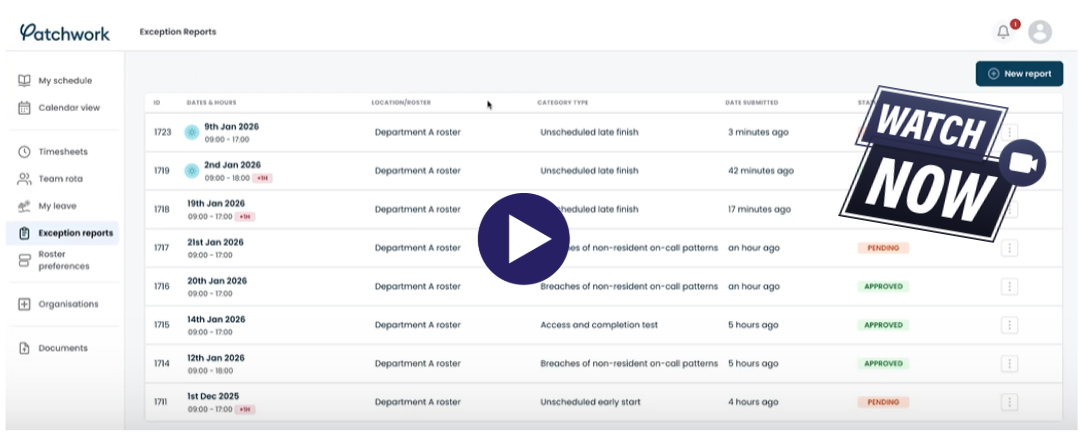
Guide to submitting test and actual exception reports
*If you have not received Patchwork login details, please check your junk or spam folder before contacting lead.employer@merseywestlancs.nhs.uk.
Mandatory Test Exception Report
When starting a new GP, community, hospice or non-hospital placement, you must:
- Log into the Lead Employer exception reporting system.
- Submit a test exception report.
- Select the full-time generic rota matching your region and specialty.
- Clearly mark the submission as a test report.
This allows Lead Employer and the Guardian of Safe Working Hours to validate your rota allocation and system access. The GoSWH will:
- Reviews qualifying exception reports
- Monitor safe working practices
- Identify patterns or trends
- Support compliance with the 2016 TCS
Submitting an Additional Hours Exception Report
When submitting an exception report for additional hours worked, supporting evidence must be uploaded.
You must include:
1. Your live rota
A copy of your current live rota (with current rota information accessible).
This will be the rota issued at the start of your placement (or the most up-to-date formally agreed version) which shows start and finish time of working days.
2. Proof of time, date and location
Electronic evidence confirming the time, date and location of the additional hours worked (for example, a timestamped system record).
All patient identifiable information must be fully redacted prior to submission. This includes patient names, NHS numbers, dates of birth and any other identifiable information. Failure to redact patient information may result in the evidence being rejected and resubmission requested.
If electronic proof is not available, a written corroborative statement from another regulated clinical professional may be submitted via the form at the bottom of the page.
*Incomplete submissions may delay review.
Corroborative Statement Form
Where required, a regulated clinical professional may provide a corroborative statement confirming that a resident doctor worked outside of their agreed schedule.
This form will be used as supporting evidence when reviewing exception reports.